Platform Features
Cameras
nVidia System-on-Module
WiFi
Gigabit Ethernet
USB3
HDMI
Battery
Tripod Mount
Cloud & Local Configuration
Software Features
Cameras
- 1, 2 or 3 cameras
- 20-100 deg HFOV
- 2-45 deg yaw
- 0-10 deg tilt
Video Capture
- 4K 1-30fps
- UHD 1-30fps
- HD 1-60fps
Merger
- 2 cameras
- 3 cameras
Transforms
- Tilt
- Cylindrical
- Homography
Storage
- Internal USB
- External USB
Streaming
- RTSP
- RTP
- 1 or 2 global
- 1...6 local
File Manager
- Folders
- Schedule
- Auto cleanup
- START/STOP
Project Select
- DIY
- Factory reference
- Application
- Copy, New
Application: Remote Production
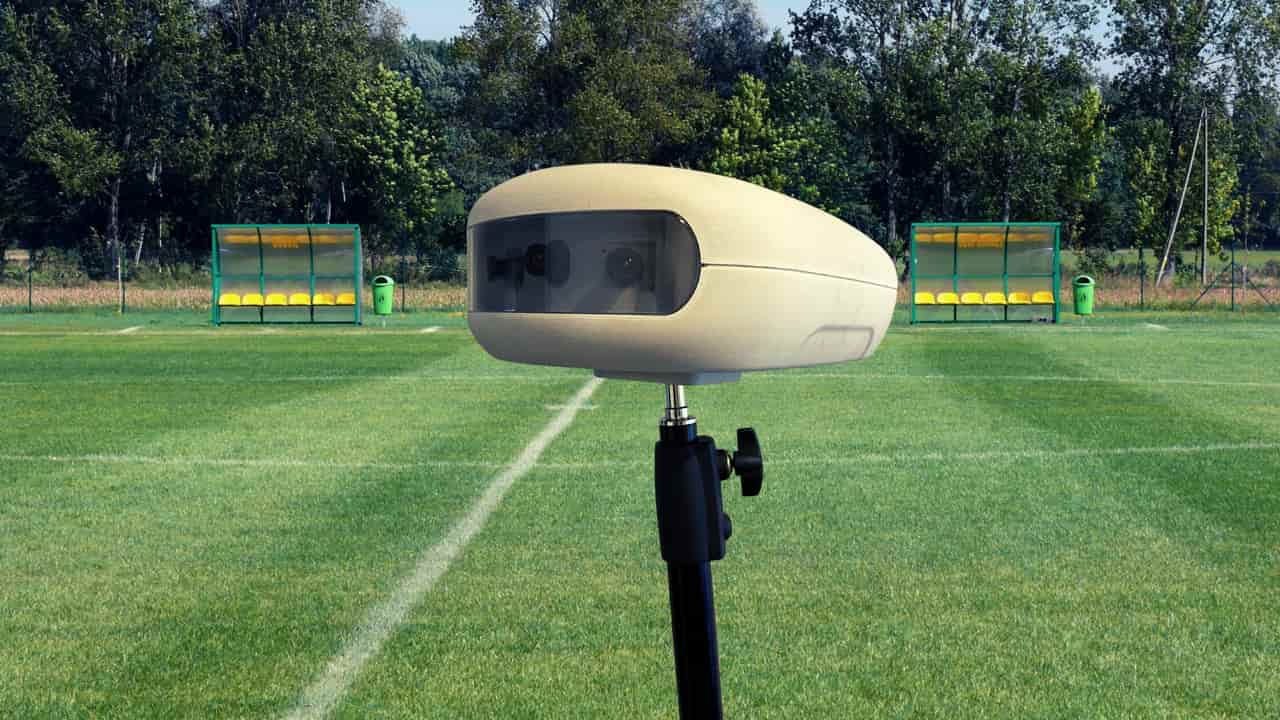
C180 has developed a sports application that enables a remote camera operator to control the video from an MV180.
The camera operator has an Android app (C180) running on a Chromebook. Both the MV180 and C180 connect to the Message server, which provides a low latency path between the MV180 and C180 app.
The MV180 can see the entire 180 degree game using the three video arrays. It streams the three arrays to the C180 server (the production stream) for the camera operator to see and follow the game by panning and zooming a window that overlays the three images. The MV180 outputs the Game stream based on the camera operator's window.
The camera operator also has access to MV180 control and status, so can start and stop the Game stream, and monitor network conditions.
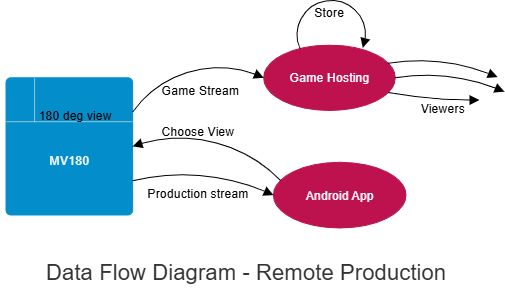
The Android app sees all three cameras and chooses a view.
Projects
The MV180 MultiVcam has settings available on a number of internal web pages.
Settings can be saved as a user-named Project.
Projects can be saved as a user-named Project, renamed and edited to create variations.
Applications are non-editable projects, built by C180 on behalf of a customer.
Internet Connectivity: MFC180
The MV180 connects to the internet via Ethernet or WiFi. Typically, video streaming requires an 8 Mbit uplink.
If a single connection does not provide a sufficient uplink bit rate, the MFC180 can be used to improve data rates.
The MV180 connects to an MFC180 via WiFi or Ethernet. The MFC180 supports up to six USB modems that connect to the same and/or different carriers.
Register Interest
Interested in the MV180? We'd love to hear from you.
Or reach us directly at
info@c180systems.com.au